



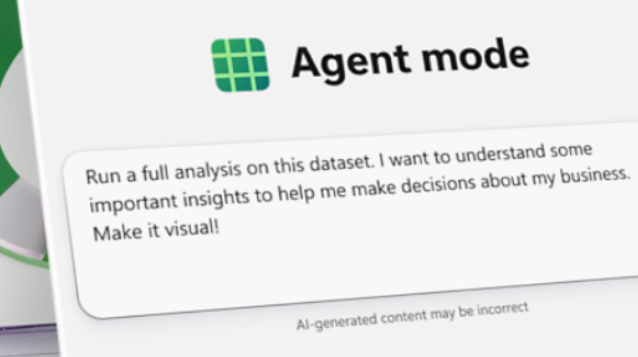
Microsoft is doubling down on the notion that the future of work is collaboration between humans and AI agents. Their latest initiative, Agent Mode in Word and Excel, is designed to let users issue natural-language commands and have the AI carry out multi-step tasks for them — from designing a financial model to drafting a formatted report.
In effect, Microsoft wants us all to start “vibe working” — letting AI do the heavy lifting while we guide, review, and refine. Below, I unpack how Agent Mode operates, what advantages and challenges it faces, and how this could ripple into local business and education ecosystems.
What Is Agent Mode — How It Works
-
Natural-Language Tasking: You tell Agent Mode what you want in plain language (e.g. “Take this sales sheet, find undervalued products, chart trends, and write a summary”), and it builds the result across multiple steps.
-
In-Office Orchestration: The agent remains inside Word or Excel, not in a separate chatbot. It interacts with the document or spreadsheet’s data, formulas, formatting, and layout.
-
Steerable & Editable: As the agent works, you can guide it, ask for clarifications, correct intermediate steps, or adjust results. It’s not total automation — the user still remains in the loop.
-
Plug-and-Play AI Assistants: Microsoft also introduced an “Office Agent” in Copilot Chat, which can create Word/PowerPoint documents directly from chat prompts, then hand off preview versions you can fine-tune.
-
Accuracy Benchmarks: Microsoft states that Agent Mode in Excel scored ~57% in test benchmarks (Spreadsheet Bench), versus ~20% for the previous Copilot approach. Humans still outperform both, suggesting the tech remains a powerful aid, not a complete replacement.
Why This Move Matters
Democratizing Advanced Functionality
Tasks like data modeling, trend analysis, or formatting reports often demand domain knowledge, formula skills, or design sense. Agent Mode lowers that barrier, letting non-expert users produce more polished output without being power users.
Time & Efficiency Gains
By automating repetitive or multi-step workflows, this lets users get more done faster — freeing mental bandwidth for strategy, oversight, or creative work, rather than mechanics.
Shifting Value in Teams
If AI handles much of the grunt work, professionals may compete more on oversight, judgment, domain knowledge, and narrative capacity — not just tactical execution.
Competitive Pressure on Other Tools
If Microsoft can embed this deeply and reliably, it raises the bar for rival productivity suites and smart assistants (e.g. Google Docs/Sheets, niche AI tools). The “office AI” arms race intensifies.
Risks, Pitfalls & Considerations
-
Errors & Hallucinations: Agents may misinterpret a prompt or make wrong assumptions. Users will need to audit outputs carefully.
-
Overtrust: There’s danger in accepting the agent’s result without scrutiny, especially for high-stakes or complex tasks.
-
Learning Curve & Trust Building: Users might hesitate to hand off tasks until the system proves reliable and transparent.
-
Privacy & Data Risks: As the agent manipulates sensitive spreadsheets or documents, data handling, access control, and security are critical.
-
Resource & Infrastructure Load: Running AI inside Office apps demands backend compute, latency control, and robustness — potential bottlenecks for large or complex files.
-
Job Role Shifts: Some tasks people do today may become less necessary. Roles must adapt.
Local / Regional Angle: Detroit & Michigan Impacts
Small & Medium Enterprises (SMEs) Adoption
Detroit area businesses — auto suppliers, manufacturing, services — may use Agent Mode to accelerate reporting, forecasting, or proposal creation. If properly adopted, even lean teams can act with greater analytical depth.
Education & Training
Schools, universities, and community colleges in Michigan could integrate Agent Mode into curriculum, letting students interact with AI agents in Excel/Word, shifting focus from teaching mechanical formulas to oversight and critical thinking.
Tech Ecosystem Opportunities
Local tech firms, consultancies, or startups could build add-ons, audit tools, or training systems around Microsoft’s Agent Mode — niche tools that support or overlay AI workflows in a regional market.
Digital Divide Risks
Areas or organizations with older hardware, limited network capacity, or restrictive licensing may lag and miss out on productivity gains. Infrastructure investment and support become important.